|
|

Elite Edition
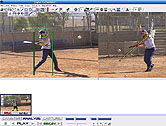
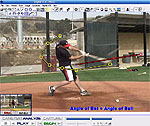
MotionView Elite Edition is easy to use software tool for sports coaches that can import up to 8 video cameras simultaneously, perform all sorts of comparison and analysis, and when you're ready to share your findings with your student, you can create a "voice over" video commentary of your analysis, even with a picture in picture of you giving the analysis and demonstration, which your students can review via CDROM, USB stick, or online file sharing.
No longer available
Take advantage of our new package deals when ordering with the instructional videos!
Click here for information for all MotionView! editions.
All Features in the Basic Edition Plus:
- The only Eight-Video, Dual Camera video analysis product on the market below $1,000.00!
- Analyze up to 8 video files simultaneously!
With a single mouse click you can synchronize all 4 videos to the same "moment of interest," and perform truly advanced video analysis from multiple camera angles
- Live video capture speeds up to 500 FPS
- Live video capture from up to 8 Firewire, HDMI, USB, or GIGE cameras
- Marker detection and path tracing
- Undockable microplayers for unlimited screen layouts
- 1X4, 2X4, 1X8 - One mouse click automatically displays a single video as either 4 or 8 consecutive, spacially sequenced videos.
Or choose to view 2 videos, each as a sequence of 4 images. You'll see 8 consecutive frames of video at any point in the action. Play/pause/step... the 8 frames always remain locked in position relative to each other, giving you a detailed look at the motion 'in context' at any moment
- Strobe Technology
Similar to what you see on T.V. during many sporting events, our Strobe Technology creates video sequences that combine the motion from multiple frames in the original video. The result is a visually stunning perspective of the action, clearly showing how the motion progresses.
- Create Audio/Video Lessons "On the Fly"!
This incredible product captures everything you do and say while operating the Elite (Digital VCR) Edition, and automatically creates video lesson movie files. The video lesson movie captures all the video files you open during the session, including side by side comparisons in multiple formats, all the drawing tools, digital mouse pointers, etc.
The A/C Commentary can even record your face from your computer's webcam and embed it in the movie!
Turn the Elite Edition into a real money maker by offering your students video lessons they can take home! You can even capture your face during the lession with a webcam. (We used the Elite Edition for all video analysis on our Swing Analysis Instructional DVD. It's that powerful.)
- Live Recording Preview and Automatic Post Recording Review
During your recording session the program displays a thumbnail image showing exactly what you are creating. You can pause and resume the recording session at any time. When you end the recording session it automatically replays the entire lesson for you to review, after which you can decide whether you want to send it to CDROM or discard it.
- Integrated Dropbox, GoogleDrive and OneDrive Support
The Elite Edition dynamically creates all of the content for your video lesson, and allows you to burn lessons to CDROM or save them to the popular file saving sites.
- Free Video Lesson Player... automatically included on your lesson CDs
Our video lesson player makes it easy your students to watch their lessons on their own PCs. They can pause, seek to any position, zoom, or watch the lesson in full screen. The lesson player is automatically burned onto your lesson CDs and is royalty free.
Your students can also watch their lessons using Media Player if they prefer.
Click here for information for all MotionView! editions.
|
|
 | - |
|
|
|
|


![[ About ]](images/home-left-1.gif)

![[ Batspeed Research ]](images/home-left-2.gif)

![[ Swing Mechanics ]](images/home-left-3.gif)
![[ Truisms and Fallacies ]](images/home-left-4.gif)
![[ Discussion Board ]](images/home-left-5.gif)
![[ Video ]](images/home-left-6.gif)
![[ Other Resources ]](images/home-left-7.gif)
![[ Contact Us ]](images/home-left-8.gif)