|
|

Advanced Coach Edition
Price: (No longer available)
Includes: One permanent USB Key to access to the Advanced Coach Edition software on any computer with no need to activate software by email/website, email technical support from MotionView, printed color documentation manual, BatSpeed.com's installed video clips and analysis worksheet, no returns/exchanges
Take advantage of our new package deals when ordering with the instructional videos!
Click here for information for all MotionView! editions.
All Features in the Basic Coach Edition Plus:
- The only Quad-Video, Dual Camera video analysis product on the market below $1,000.00!
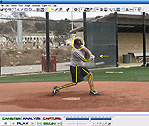
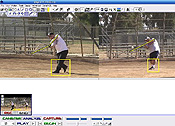
Analyze up to 4 video files simultaneously! With a single mouse click you can synchronize all 4 videos to the same "moment of interest," and perform truly advanced video analysis from multiple camera angles.
- 1X4 - One mouse click automatically displays a single video as 4 consecutive, spacially sequenced videos.
You'll see 4 consecutive frames of video at any point in the action. Play/pause/step... the 4 frames always remain locked in position relative to each other, giving you a detailed look at the motion 'in context' at any moment
- Multi-Sport Ball Speed Measurement
Our ball speed tool is incredibly simple to use. Measure speed of a softball, baseball, bowling ball and tennis serve.
- Video File Manager
Our video file manager helps the serious coach stay organized and quickly locate video files. Files can be easily organized using a familiar "tree view". Move, rename, delete and search for videos quickly and efficiently!
- Dual Camera Support
Connect any two cameras to your computer, and capture video simultaneously! You can use any combination of capture devices, such as: Firewire/Firewire, USB/USB, Webcam/Webcam, Firewire/USB, Firewire/Webcam, or USB/Webcam. Each camera must be attached to it's own capture device, USB port, or Firewire adapter.
- Magic Mirror
This feature allows you to use all of the drawing tools on top of Live Video! Place a video screen in front of your student, and draw diagrams, target positions, "reach points", etc. Allow your student to see himself from any camera angle while demonstrating the proper positions for him to achieve. This is also a great option for working on your own mechanics without the assistance of another person operating the computer.
- Time Shifting
Our new time shifting feature allows you to view your live video feed with a "delay" or time shift has been applied to it. Your video runs continuously, delayed anywhere from 5 seconds up to 3 minutes. Another great feature for solo video analysis or scenarios where you do not want to interact with the computer.
Click here for information for all MotionView! editions.
|
|
 | - |
|
|
|
|


![[ About ]](images/home-left-1.gif)

![[ Batspeed Research ]](images/home-left-2.gif)

![[ Swing Mechanics ]](images/home-left-3.gif)
![[ Truisms and Fallacies ]](images/home-left-4.gif)
![[ Discussion Board ]](images/home-left-5.gif)
![[ Video ]](images/home-left-6.gif)
![[ Other Resources ]](images/home-left-7.gif)
![[ Contact Us ]](images/home-left-8.gif)